
Automatic match
Let Aqilla suggest potential matches.


A smarter way to reconcile your bank accounts
Automated Bank Reconciliation helps you bring in bank transactions and identify potential matches, so your team can spend less time on manual tasks and focus on analysis.
Save time
Import bank transactions and let Aqilla suggest matches.
Greater accuracy
Match transactions based on value, reference or description to help ensure the right transactions are reconciled.
A faster month-end close
With less manual work and cleaner reconciliation, you can keep your financial data up to date and support a more efficient month-end close.
Customer Success
From days to hours with Aqilla
The Spa Hotel reduced time spent on daily banking and month-end bank reconciliation with Aqilla, giving the finance team more time to focus on what matters.
“
The daily banking process used to take two and a half hours with Sage. With Aqilla, it takes less than an hour. The bank reconciliation process at month-end that used to take three or four days now takes me less than half a day.

Robert McCluskey
Financial Controller at The Spa Hotel
Switched from Sage 200
< 1 hour
Daily banking process (down from 2.5 hours)
< ½ day
Month-end bank reconciliation (down from 3-4 days)

Bring your bank transactions into Aqilla
You can bring your bank transactions into Aqilla either through Open Banking or by uploading a supported bank statement file. The system then suggests matches, which you can review and amend before reconciling.
Flexible matching options
Choose the right matching approach
Aqilla offers three matching modes, so you can select the approach that works best for your organisation.
1
Match Values
Match two transactions based on their value
2
Match References and Values
Match two transactions based on the transaction reference and the value
3
Match Descriptions and Values
Match two transactions based on the description field and the value

Automatic Match
Let Aqilla suggest potential matches
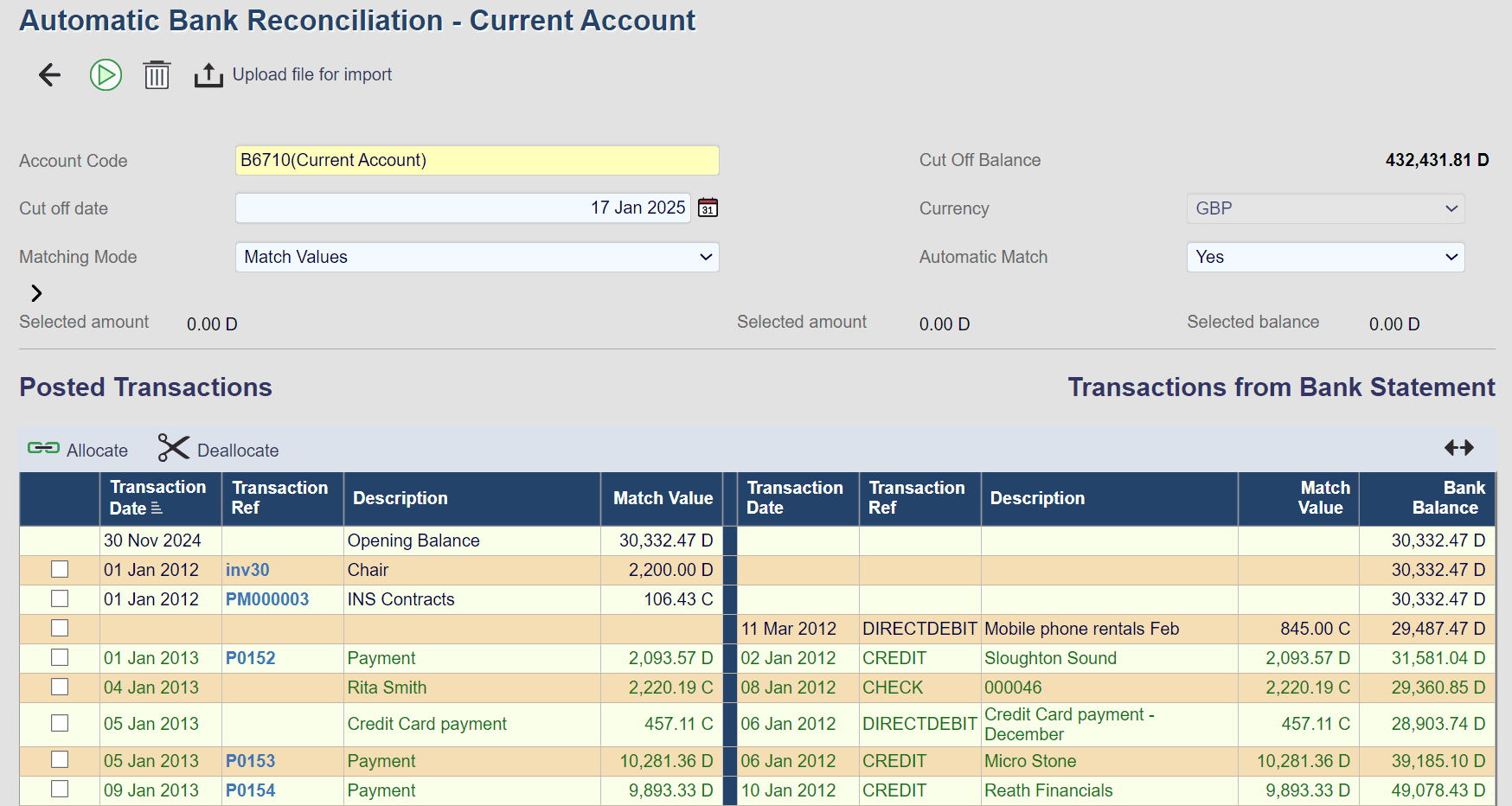
With Automatic Match switched on, Aqilla will suggest matching transactions based on your selected matching criteria, helping to reduce the amount of manual matching required. You can review the suggested matches before reconciling, or switch Automatic Match off when you prefer to match transactions manually.
Automatic Match on
Aqilla suggests potential matches based on the selected criteria.
Automatic Match off
No matches are suggested, which can be useful if there are many transactions of the same value or if you prefer to match manually.
Automatic Match
Yes
Identify potential matches, faster
Suggested matches
Refine your view
Narrow down what you’re reconciling
Set a cut-off date to display unreconciled transactions up to and including that date, with the account balance at that point shown alongside them. If the account is a true multi-currency account, you can also filter by currency.
Cut off date
17 Jan 2025
Currency
GBP
Cut Off Balance
432,431.81 D
The balance of the account at the cut-off date is displayed for easy reference.
Focus on what matters
Use the filters to work with the transactions and time period you need.
Connect Aqilla to your bank
With automatic bank reconciliation powered by Plaid, Aqilla connects to 2,000 financial institutions and banks across the United Kingdom and Europe to bring your bank transactions directly into the system.
Examples of supported banks include:



Finance automation in Aqilla
Automate more of your finance processes
Bank reconciliation is just one of the ways Aqilla helps reduce manual work. Explore more automation built into Aqilla.
Built-In Workflows
Automate routine processes and keep tasks moving through finance.
Learn more
Automated Currency Rates
Keep exchange rates updated automatically for multi-currency accounting.
Learn more
AI-Enhanced Invoice Automation
Capture and process supplier invoices with less manual data entry.
Learn more
Automated Tax Calculation
Automatically calculate tax to reduce manual work and improve efficiency.
Learn more
See Aqilla in Action
Take a closer look at Aqilla
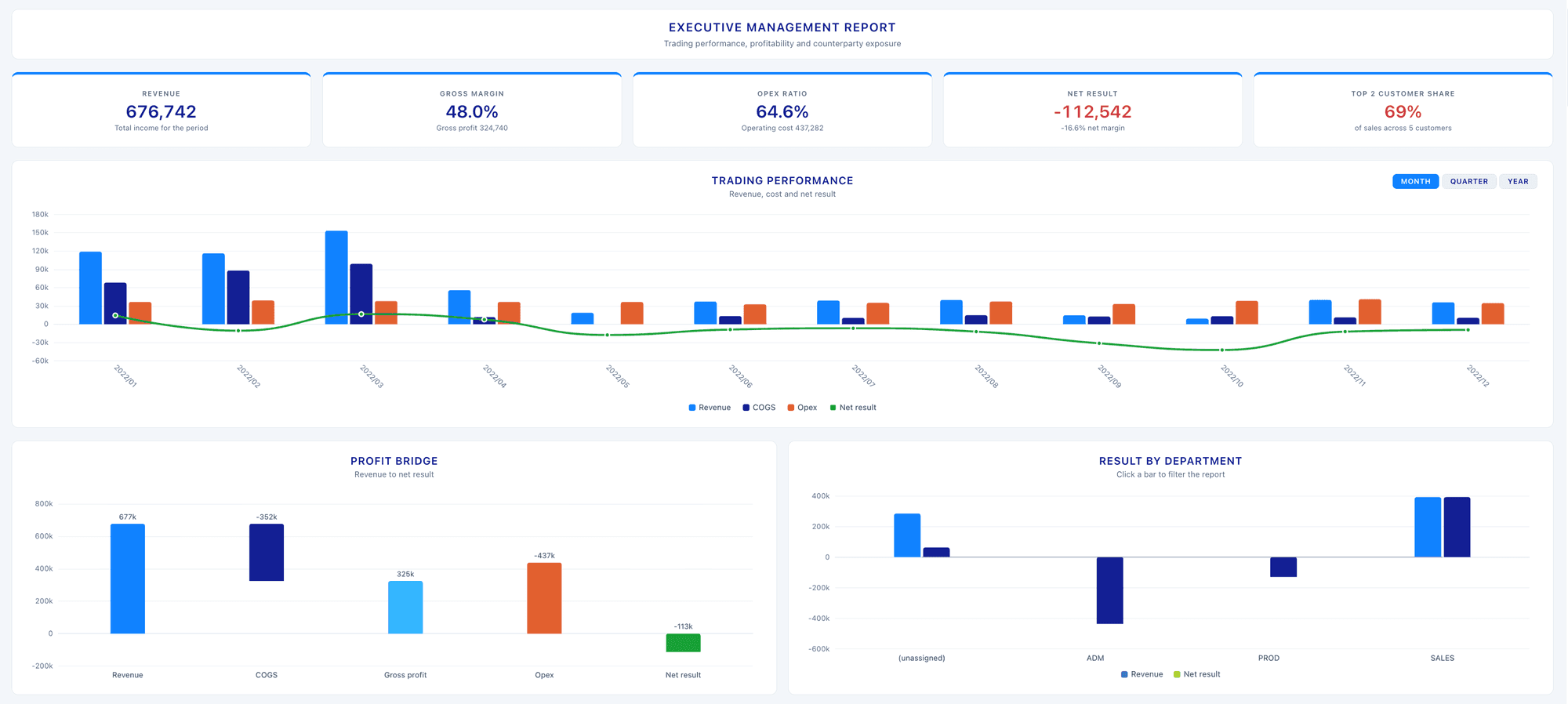
See how Aqilla brings reporting, automation and financial control together in one connected finance system.
Just 3 minutes
No sales call
Explore at your own pace
FAQs
The answers to your questions
Can’t find the answer you’re looking for? Contact us with more questions.
Some duplicate transactions from the bank statement were imported into the bank rec view. How do I fix this?
You can delete the transactions within a selected date range. Don’t worry about other transactions in that range being deleted; the system will automatically resync the bank data.
What statement formats are supported for import?
How do I filter which transactions get imported into Aqilla? I don’t want all transactions coming through.
How do I filter transactions to match them in the Auto Bank Rec view?
My bank account operates in multiple currencies. How does Aqilla handle this?